
ASCENT
Stop switching between 10 self-improvement apps.
ASCENT unifies discipline, focus, nutrition, fitness and transformation into one powerful system.
The Problem
Why Most People Never Transform
It's not willpower. It's the system. Or rather, the complete lack of one.
Too Many Apps
One for focus. One for habits. One for calories. One for progress. You spend more time managing apps than improving yourself.
Fragmented Progress
Improvement becomes scattered and invisible. You can't see the full picture, so motivation collapses before results arrive.
No Accountability
Without one unified system, consistency breaks. There's no single source of truth about who you are becoming.
The Solution
ASCENT fixes this.
One unified self-transformation operating system. Everything in one place. Nothing left fragmented.
Comparison
10 Apps. Zero Progress.
The Old Way
The ASCENT Way
One unified self-transformation operating system. Every pillar of self-improvement, working together.
THE ASCENT
OPERATING SYSTEM
Seven precision modules. One unified transformation system.
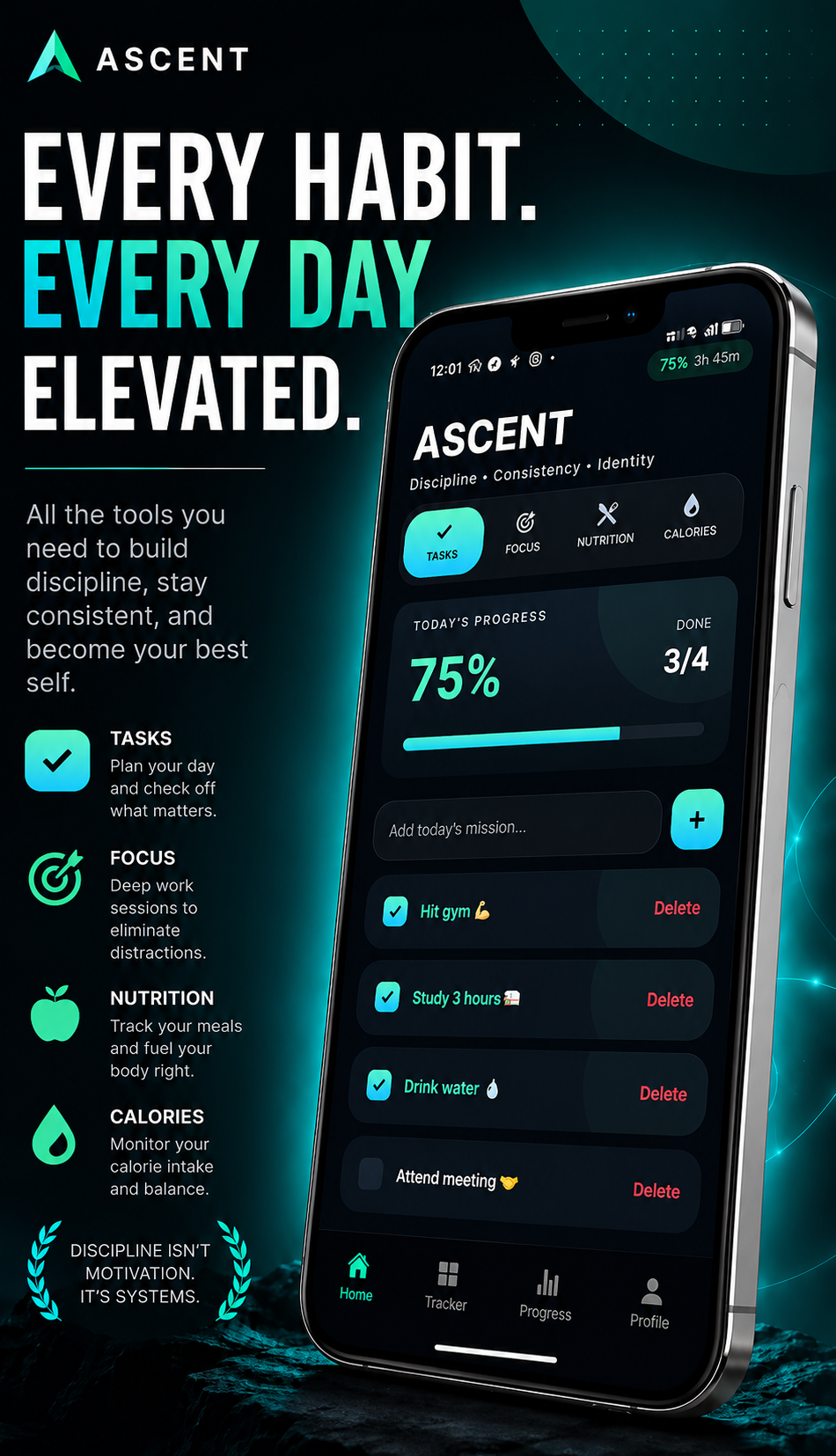
Your daily execution dashboard for tasks, streaks, and mission tracking.
Your daily execution dashboard for tasks, streaks, and mission tracking.
Daily Command Center
Your Daily Execution Dashboard.
ASCENT opens to a mission-ready home screen. Every habit, every task, every goal — stacked and waiting. A live completion ring tracks your day in real time. No more bouncing between apps. One screen. Total command.
- Live 0–100% daily completion ring
- Task checklist with mission context
- One-tap progress tracking
- Streak continuity system
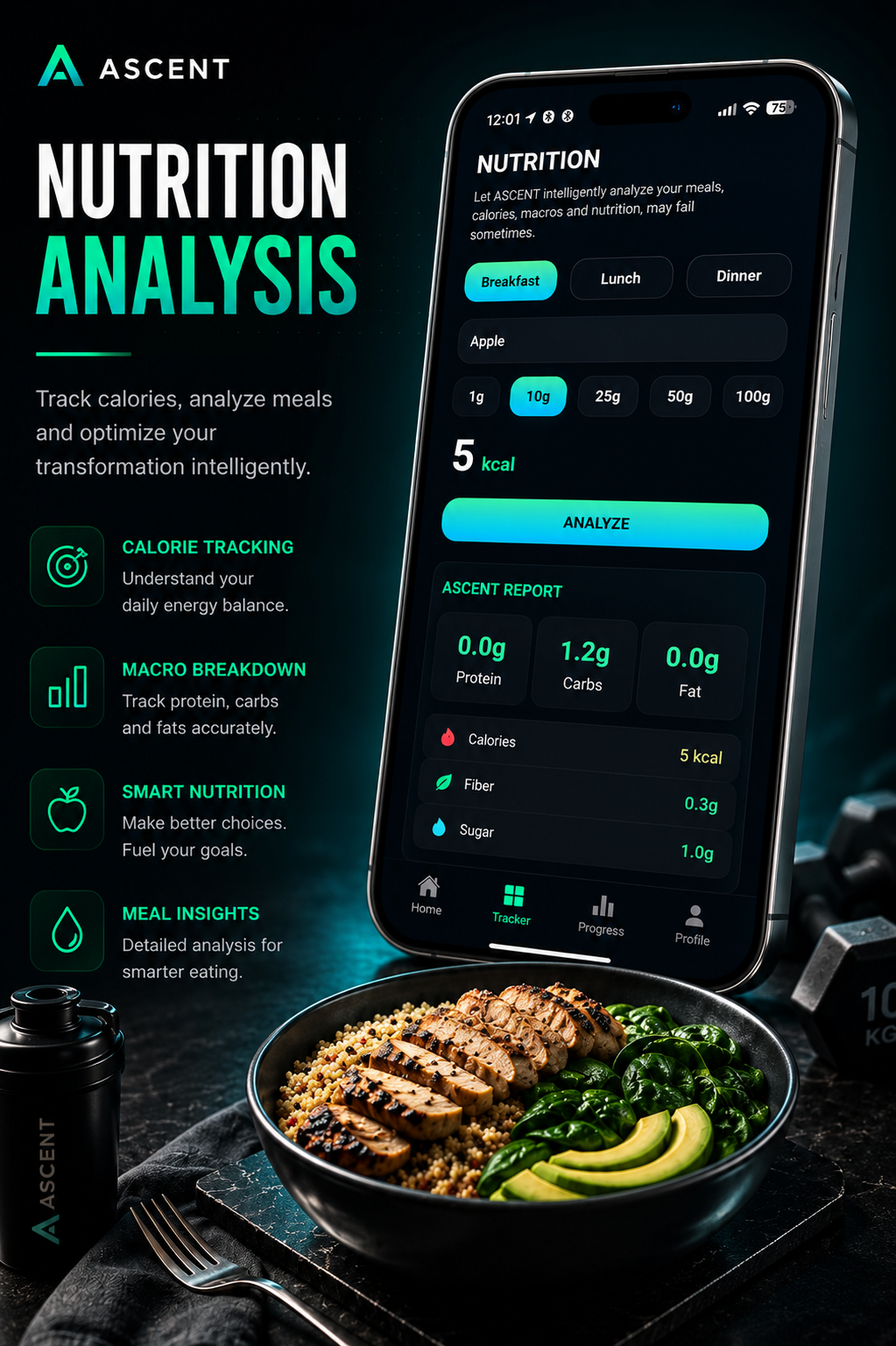
Deep Work Engine
Professional Focus. Real Results.
Structured Pomodoro sessions with fully editable work and break intervals. Two numbers compound over time into your competitive edge: total sessions and total focus minutes. ASCENT is not a timer. It's a focus execution system.
- Editable study & break timers
- Session count + focus minute tracker
- Distraction-resistant UI
- Long-term consistency analytics
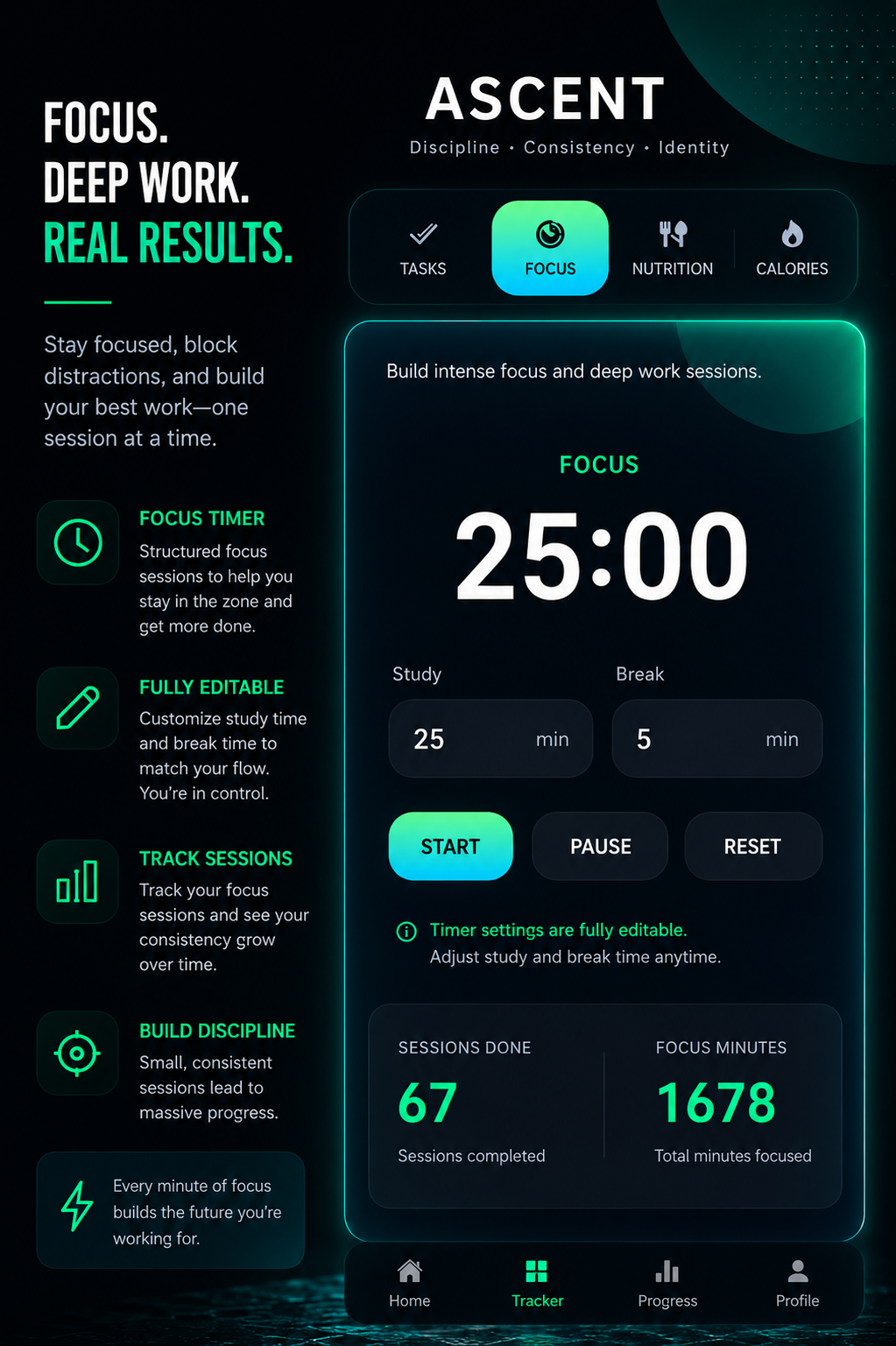
Transformation Analytics
Proof of Measurable Evolution.
Your transformation percentage grows with every consistent day. Perfect Days are counted. Week-by-week colour grids — red, yellow, green — create an undeniable visual record of your commitment. You cannot fake this graph.
- Transformation % grows with consistency
- Perfect Day counter
- Color-coded weekly status grid
- 90-day discipline history
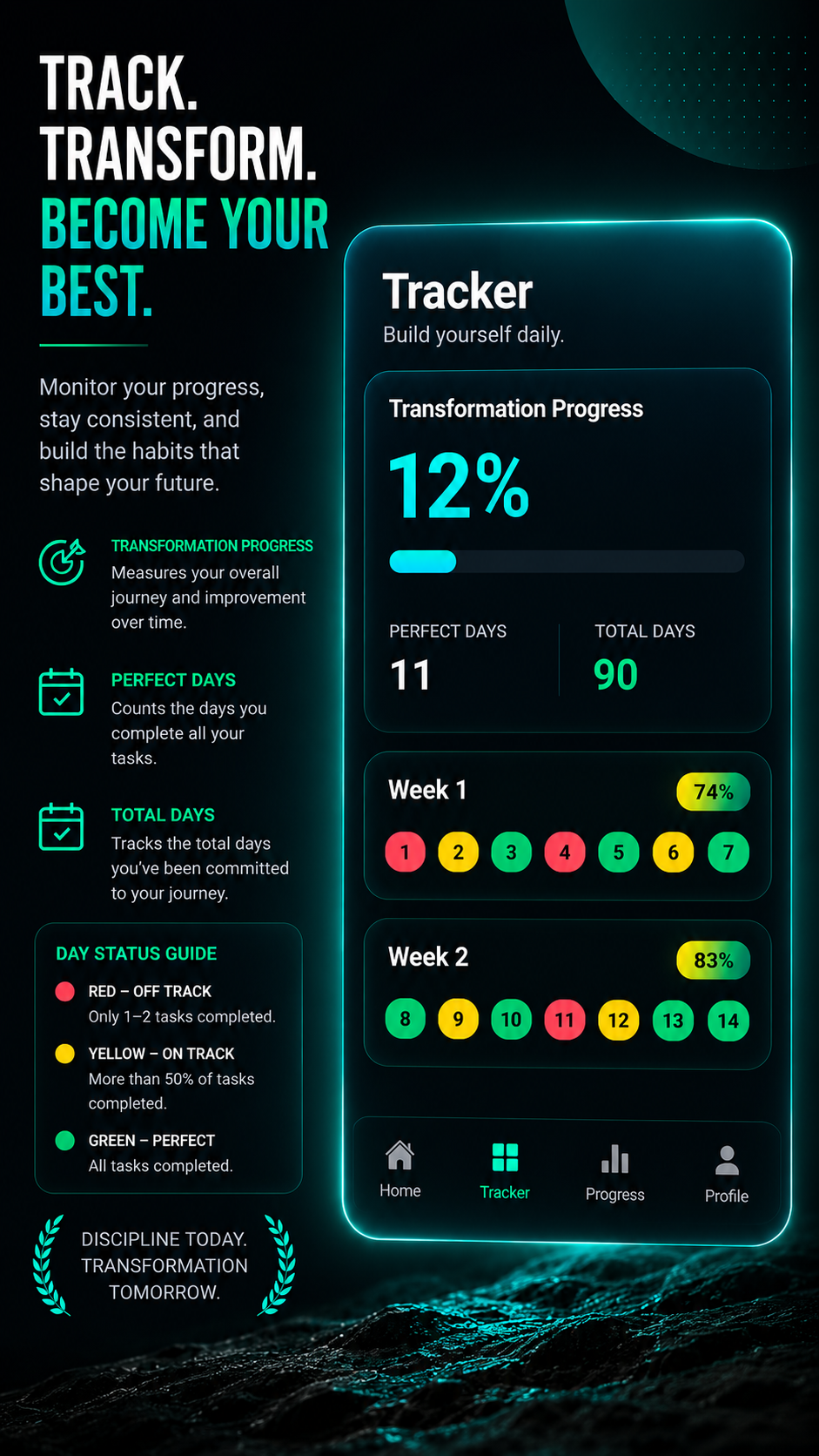
Nutrition Intelligence
Body & Nutrition Intelligence Engine.
Log any meal. Get an instant macro breakdown — protein, carbs, fat, and calories calculated precisely. Breakfast, lunch, dinner tracked separately. Your ASCENT Nutrition Report gives you the truth your body needs to perform.
- Per-meal macro breakdown (P/C/F)
- Calorie precision tracking
- Breakfast, lunch, dinner split
- ASCENT Nutrition Report
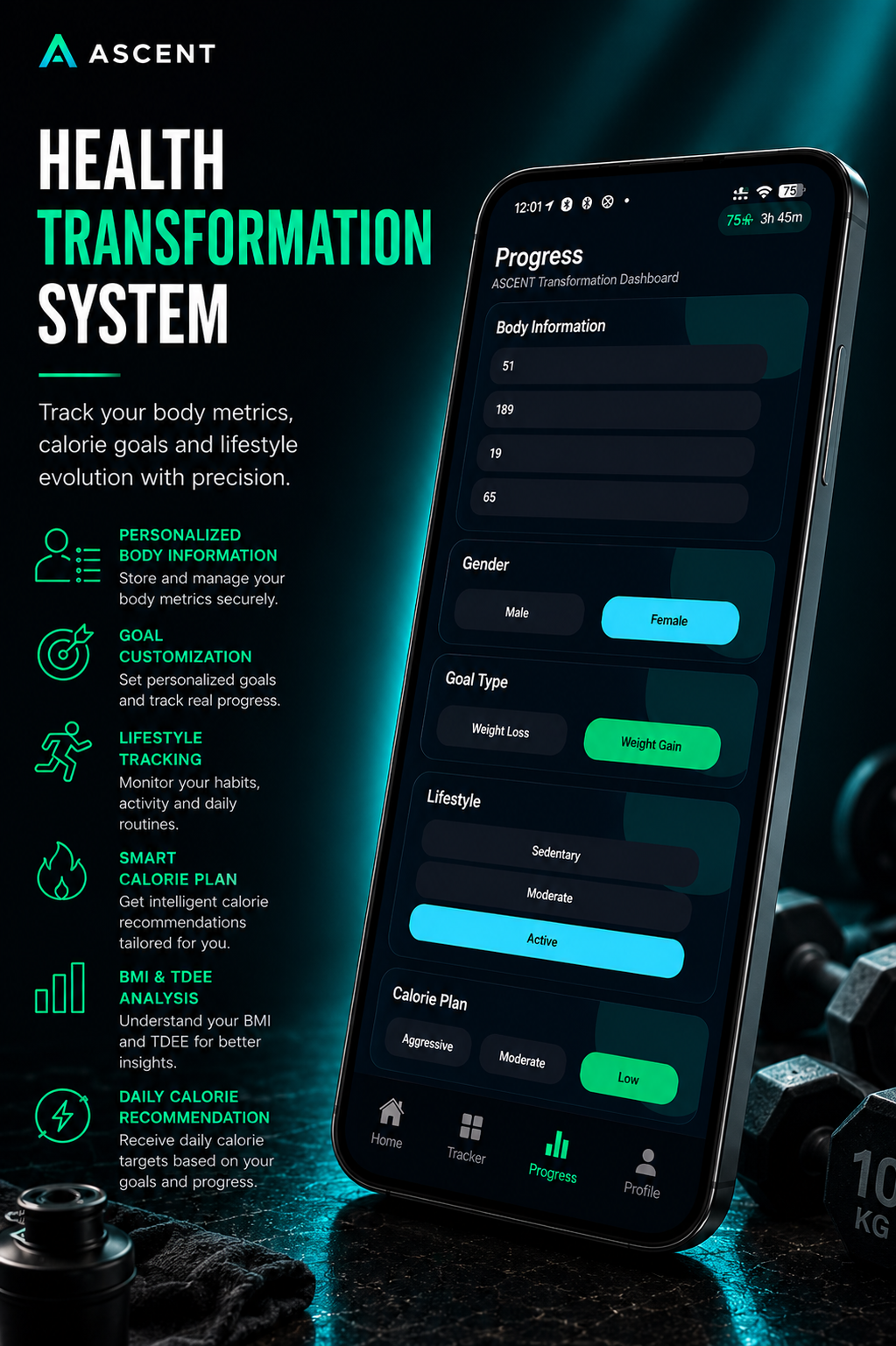
Health Dashboard
Physical Transformation System.
Input your body stats, goal type, and calorie plan. ASCENT calculates your ideal daily calorie target and builds your complete health profile. Aggressive, moderate, or measured — you set the pace. Your body follows the plan.
- BMI & TDEE calculation
- Goal-based calorie plan
- Weight Loss / Weight Gain modes
- Lifestyle intensity selector
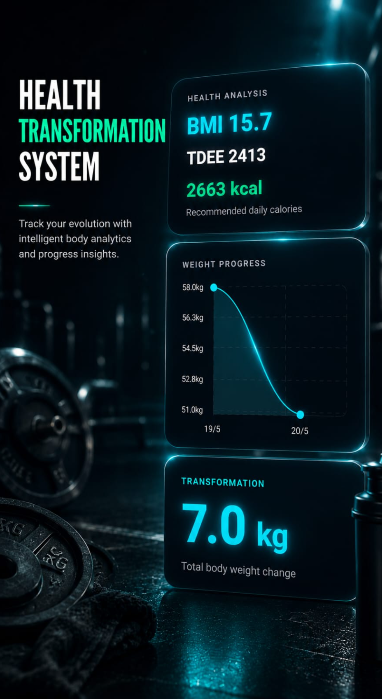
Body Analytics
See the Numbers. Own Them.
BMI, TDEE, and recommended daily calories at a glance. A live weight progress curve visualises your trajectory. The total transformation stat — kilograms changed — makes your physical evolution undeniable and impossible to ignore.
- BMI + TDEE displayed clearly
- Recommended kcal per day
- Weight progress line chart
- Total kg transformation stat
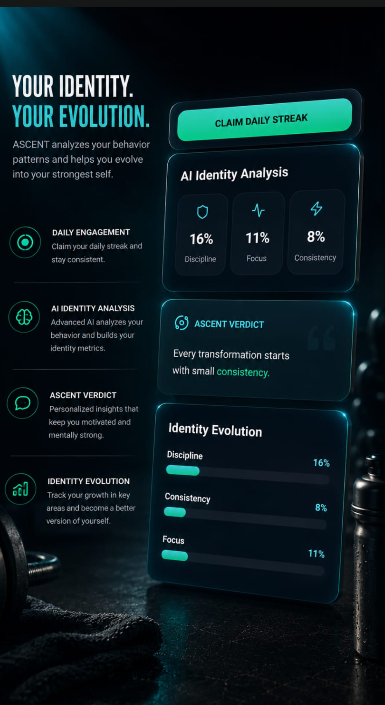
Identity Evolution Engine
Track Who You Are Becoming.
AI Identity Analysis scores your Discipline, Focus, and Consistency as percentages that evolve daily. Claim your streak. Read your ASCENT Verdict — a personalised insight into the person you are becoming. Identity is built, not born.
- Discipline / Focus / Consistency scores
- Daily streak claim system
- Personalised ASCENT Verdict
- Identity Evolution progress bars
Pricing
The cheapest investment in your future self.
For less than one fast-food order, unlock a complete self-transformation system for life.
- All 7 premium feature modules
- Complete self-transformation OS
- Unique device restore key
- Reinstall anytime on same device
- All future updates included
- Android APK · Direct install
Android only · Lifetime · One device
Setup
UP IN 7 STEPS
Download APK
Tap the download button. The ASCENT APK saves to your Downloads folder.
Tap the file
Open your Downloads folder and tap the APK to begin installation.
Allow source
When prompted, tap Settings and allow installation from your browser or Files app.
Ignore warning
Android may flag the app. This is normal for sideloaded apps. Tap Install anyway.
Open ASCENT
Launch the app. You will land on the restore key unlock screen.
Enter restore key
Paste or type your unique restore key from your purchase confirmation.
unlock for free
ASCENT verifies your key and unlocks full lifetime access instantly.
FAQ